Building Social Share Buttons Turned Out to Be Quite a Chore
This blog originally used jsSocials - Simple Social Network Sharing Plugin. However, as of 2024 it hasn’t been updated much, and it doesn’t seem to support BlueSky, X, or Threads.
Building it from scratch is a lot of work too, so I referred to the implementation in Adding share buttons to a Hugo site | AAbrain and put together the following.
The Result
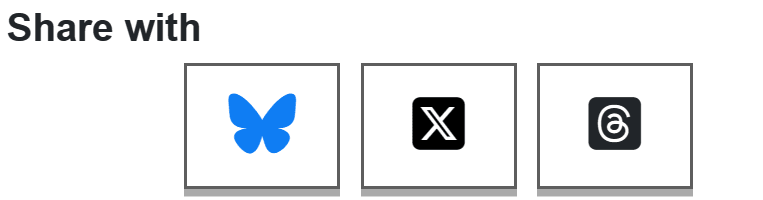
Implementing the Social Share Buttons
Prerequisites
You need to load the Font Awesome js. The brand icons are usable on the free tier, so this time I set up a FontAwesome Free Kit.
I also use List group · Bootstrap v5.0 for laying out the position, so if you use list-inline you need Bootstrap 5.
That is only there to display the items in a row, so if you lay them out horizontally some other way, you can remove the list-inline and list-inline-item classes without problems.
The HTML in layouts
With that in place, insert the following html into the spot in your layouts where you want the social share buttons.
 1<section class="post-share-sns-section">
 2    <h3>Share with</h3>
 3    <ul class="list-inline text-center">
 4        <li class="list-inline-item">
 5            <a class="bluesky" title="BlueSky"
 6            href="https://bsky.app/intent/compose?text={{ .Title }}%0A{{ .Permalink }}"
 7            target="_blank" rel="noopener noreferrer">
 8            <span class="fa-stack fa-2x">
 9                <i class="fa-brands fa-bluesky"></i>
10            </span>
11            </a>
12        </li>
13        <li class="list-inline-item">
14            <a class="x-twitter" title="X"
15            href="http://twitter.com/intent/tweet?url={{ .Permalink }}&text={{ .Title }}"
16            target="_blank" rel="noopener noreferrer">
17            <span class="fa-stack fa-2x">
18                <i class="fa-brands fa-square-x-twitter"></i>
19            </span>
20            </a>
21        </li>
22        <li class="list-inline-item">
23            <a class="threads" title="Threads"
24            href="https://www.threads.net/intent/post?text={{ .Title }}%0A{{ .Permalink }}"
25            target="_blank" rel="noopener noreferrer">
26            <span class="fa-stack fa-2x">
27                <i class="fa-brands fa-square-threads"></i>
28            </span>
29            </a>
30        </li>
31    </ul>
32</section>
The Sass That Styles the HTML Above
It’s simple enough that plain CSS would do, but this site manages styles with sass, so I added the sass below.
 1section.post-share-sns-section {
 2    // brand colors
 3    a.bluesky {
 4        color: #0f7df3;
 5    }
 6    a.x-twitter {
 7        color: black;
 8    }
 9    a.x-threads {
10       color: black;
11    }
12    // make them look like buttons
13    li.list-inline-item {
14       border: solid;
15       border-color: #5e5e5e;
16       box-shadow: 0 5px 0 #aaaaaa;
17    }
18}